> ## Documentation Index
> Fetch the complete documentation index at: https://docs.intellikon.ai/llms.txt
> Use this file to discover all available pages before exploring further.
# Your home screen
> What your home screen shows, and how to open each product.
Your home screen is the starting point for your workspace. It shows the products your organisation uses, a few figures worth knowing today, and recent activity in your workspace. To come back to it from anywhere, select the logo at the top of the product bar.
## What is on it
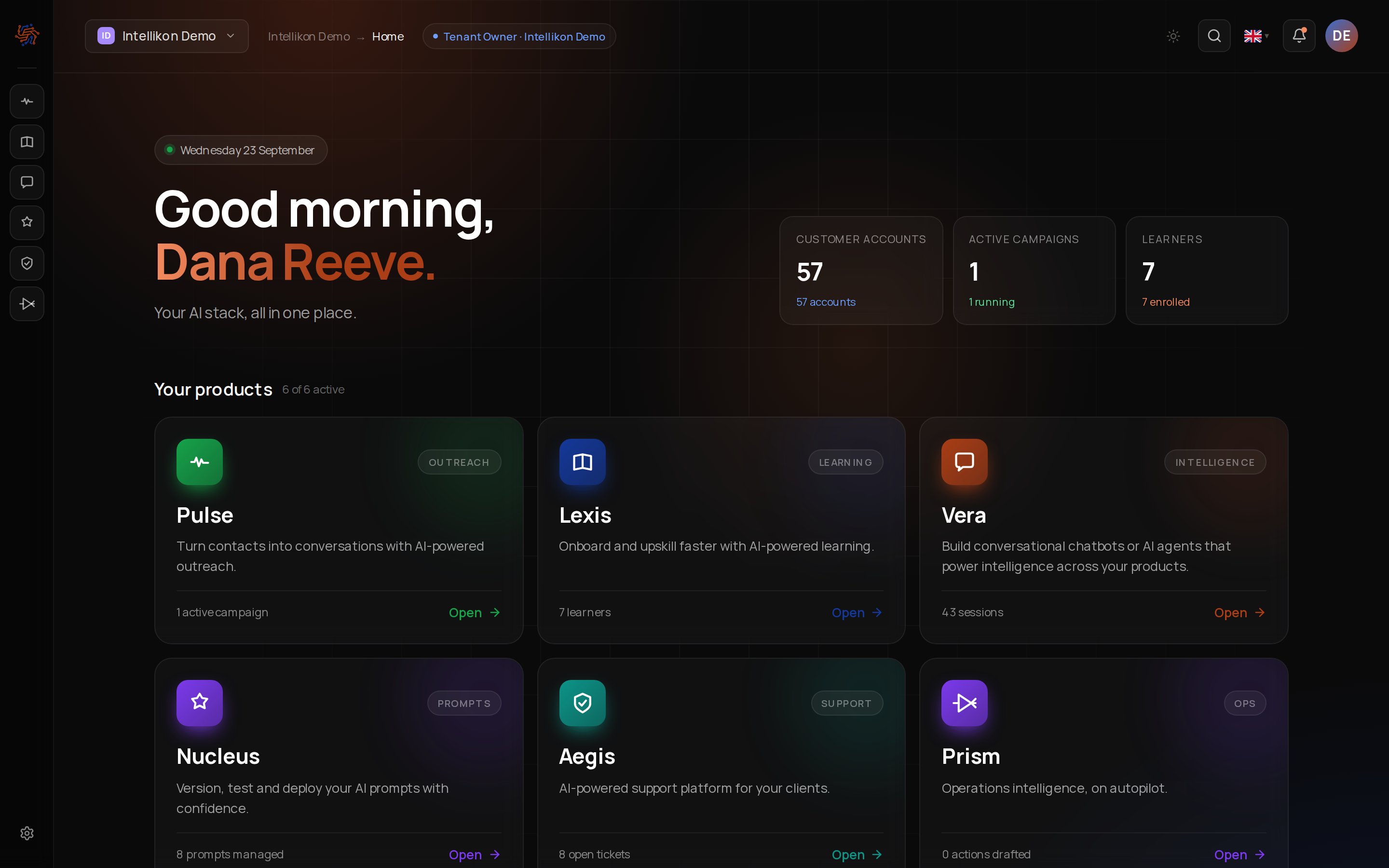 At the top, a greeting and today's date. Tenant Owners and Workspace Admins also see headline figures beside them, such as how many customer accounts you have and how many learners are enrolled.
Under **Your products** there is a card for each product available to you. Each card says what the product is for and shows one live figure, such as open tickets or active campaigns. Select **Open** on a card to go into that product. Products your organisation does not have yet are marked **Not included**.
**Recent activity** lists what has changed in your workspace lately. **Docs**, at the foot of the screen, opens this help centre in a new tab.
## Your products
Which of these you see depends on your organisation and your role.
Turn contacts into conversations and follow them through to a sale.
Onboard and train people with video modules and tracks.
Chatbots that answer from your own knowledge.
Manage, test and improve your AI prompts.
Support for your clients, with tickets in one place.
See what is happening across your products.
Next, [find your way around](/get-started/find-your-way-around).
At the top, a greeting and today's date. Tenant Owners and Workspace Admins also see headline figures beside them, such as how many customer accounts you have and how many learners are enrolled.
Under **Your products** there is a card for each product available to you. Each card says what the product is for and shows one live figure, such as open tickets or active campaigns. Select **Open** on a card to go into that product. Products your organisation does not have yet are marked **Not included**.
**Recent activity** lists what has changed in your workspace lately. **Docs**, at the foot of the screen, opens this help centre in a new tab.
## Your products
Which of these you see depends on your organisation and your role.
Turn contacts into conversations and follow them through to a sale.
Onboard and train people with video modules and tracks.
Chatbots that answer from your own knowledge.
Manage, test and improve your AI prompts.
Support for your clients, with tickets in one place.
See what is happening across your products.
Next, [find your way around](/get-started/find-your-way-around).