> ## Documentation Index
> Fetch the complete documentation index at: https://docs.intellikon.ai/llms.txt
> Use this file to discover all available pages before exploring further.
# Ask
> Ask questions about a data source in plain words.
Ask lets you question a data source in plain words, such as "How many tickets were opened last week?", and get the answer from your own data. Each conversation is a session.
## Before you start
You need at least one [data source](/products/prism/data-sources). Tenant Owners, Workspace Admins and Workspace Members can ask questions.
Tenant Owners and Workspace Admins can see every session in the workspace.
## Start a session
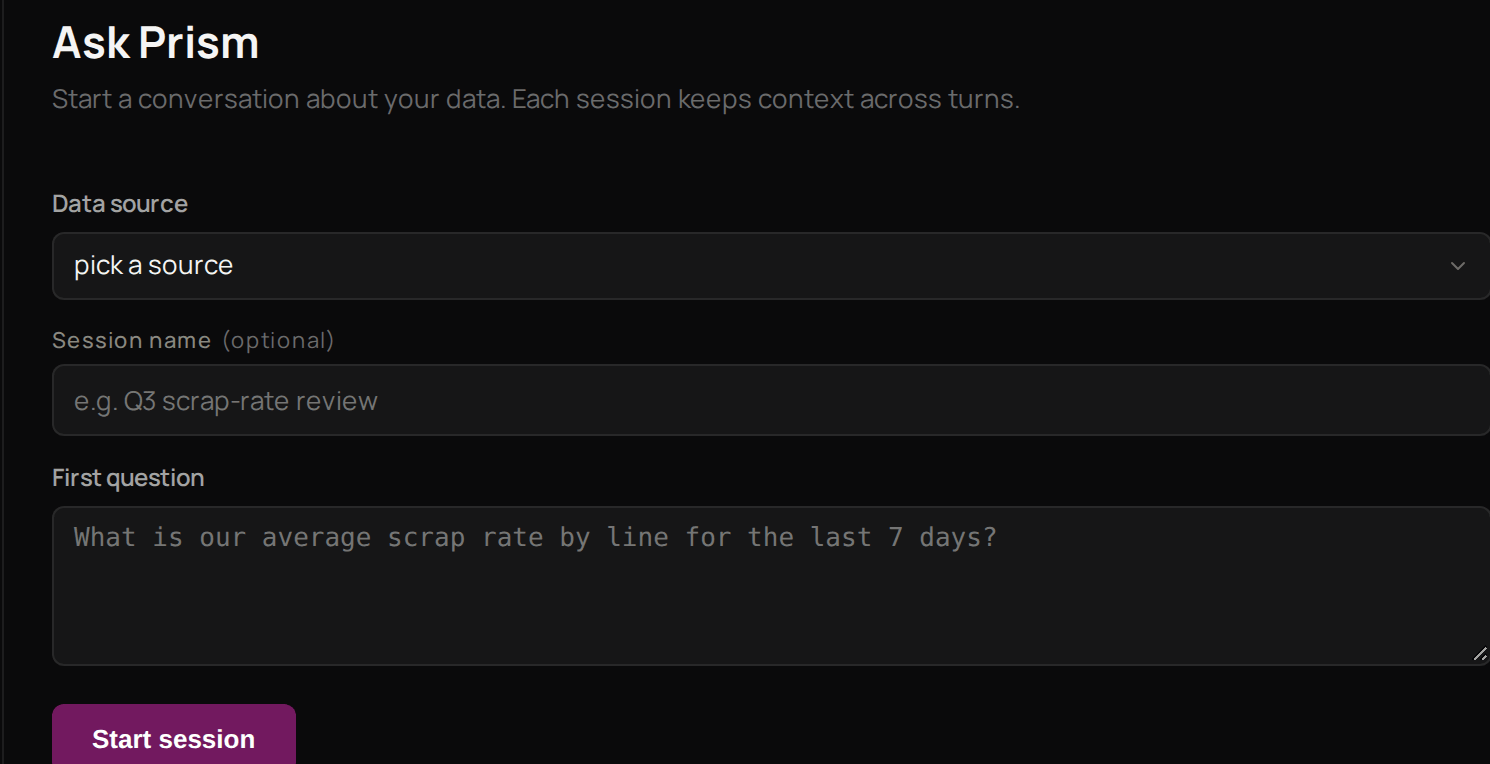 Select **Ask**.
Under **Data source**, choose the source your question is about.
Give the session a **Session name** so you can find it again.
Type your question under **First question**.
Select **Start session**.
Prism answers from the data source, and the session shows under **Recent sessions** on the left. To start again on a new subject, select **New** next to **Recent sessions**. Next, [define a metric](/products/prism/metrics) for a figure you ask about often.
## Troubleshooting
A session you leave unused closes, and a closed session takes no more questions. Select **New** and start another.
Each session holds up to 50 questions. Select **New** and carry on in a new session.
Select **Ask**.
Under **Data source**, choose the source your question is about.
Give the session a **Session name** so you can find it again.
Type your question under **First question**.
Select **Start session**.
Prism answers from the data source, and the session shows under **Recent sessions** on the left. To start again on a new subject, select **New** next to **Recent sessions**. Next, [define a metric](/products/prism/metrics) for a figure you ask about often.
## Troubleshooting
A session you leave unused closes, and a closed session takes no more questions. Select **New** and start another.
Each session holds up to 50 questions. Select **New** and carry on in a new session.