> ## Documentation Index
> Fetch the complete documentation index at: https://docs.intellikon.ai/llms.txt
> Use this file to discover all available pages before exploring further.
# Prism overview
> What Prism does, where your data comes from, how it is laid out, and who can do what in it.
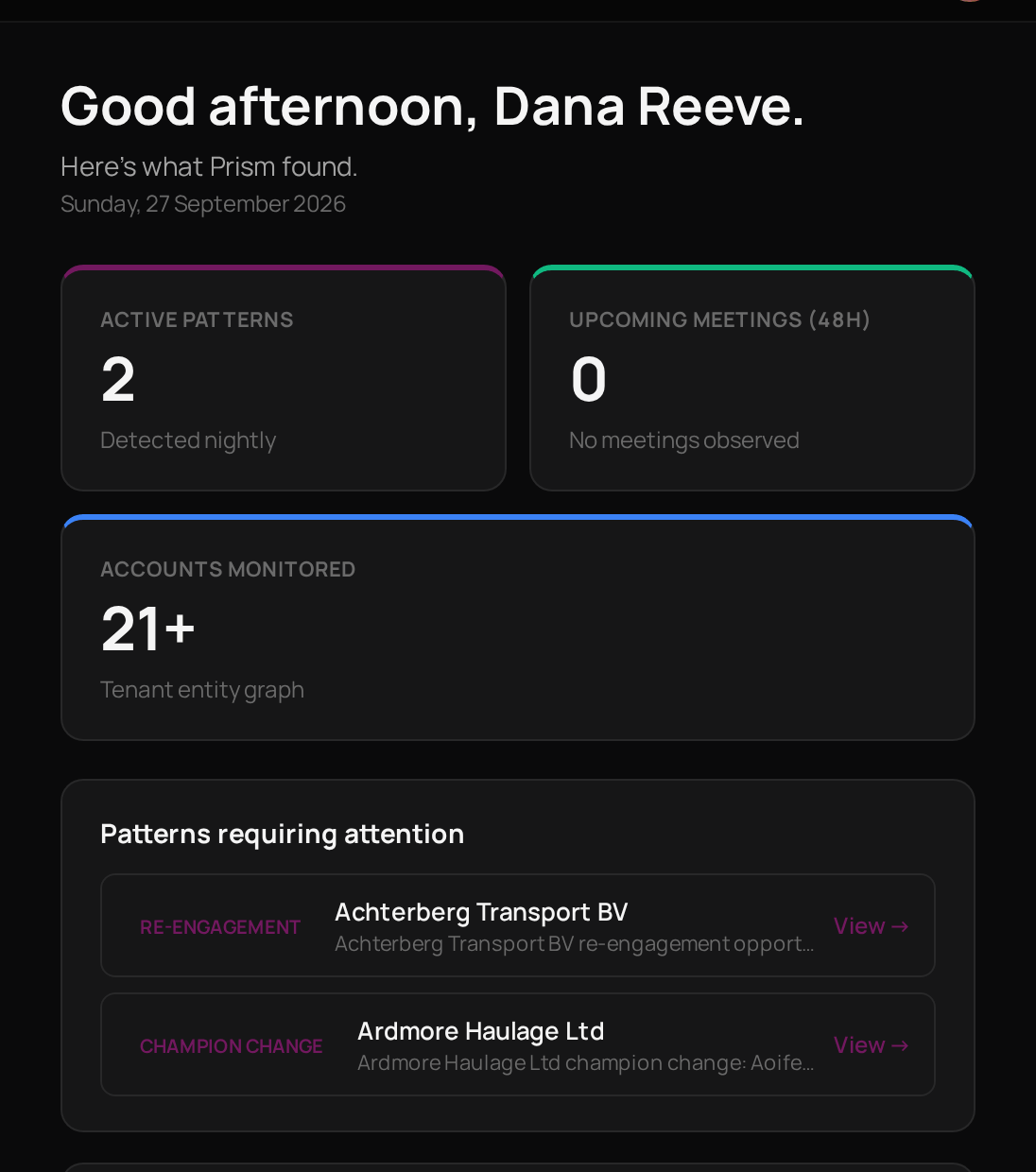
Prism keeps watch over your accounts and your data so you know where to look first. It reads the activity already in Studio, such as deals, tickets and emails, and each night it looks for accounts that need attention. What it finds lands in one feed. You can also connect data, build reports from it, set monitors that raise an alert when a number moves, and ask questions about it in plain words.
Prism points you to what needs doing. It does not replace the products that hold your work: you still reply in Pulse and handle tickets in Aegis.
## Where your data comes from
Your Studio products are built-in sources. Vera, Aegis, Pulse and Lexis connect inside Prism with no export or import step. Connecting outside data is optional: you can add a file or a database as well, if you want Prism to work with it. See [Data sources](/products/prism/data-sources).
## How Prism is laid out
 | Area | What you do there |
| ------------ | --------------------------------------------------------------------- |
| Overview | See the patterns that need attention. |
| Feed | Work through the patterns and alerts that are waiting for someone. |
| Accounts | Look up any company or person and see what is happening with them. |
| Governance | Decide what Prism may do without asking, and check what it decided. |
| Data Sources | Connect the data your reports, monitors and questions use. |
| Reports | Build dashboards from a data source. |
| Monitors | Watch a number and raise an alert when it crosses a line. |
| Ask | Ask questions about a data source in plain words. |
| Metrics | Define the measures your team agrees on, once, for everyone to reuse. |
## Key ideas
Something Prism notices about an account overnight, such as a relationship going quiet.
A notice from one of your monitors when the number it watches crosses the line you set.
A feed item that is waiting for someone to deal with it.
A feed item that has been dealt with.
A set of data Prism can read, from a Studio product, a file or a database.
A named measure, such as a rate or a total, that reports and monitors can reuse.
## Who can do what
| Task | Tenant Owner | Workspace Admin | Workspace Member |
| ------------------------------------ | ------------ | --------------- | ---------------- |
| See the Feed and monitors | Yes | Yes | Yes |
| Dismiss an item in the Feed | Yes | Yes | Yes |
| Open Accounts | Yes | Yes | Yes |
| Dismiss a pattern on an account page | Yes | Yes | No |
| Connect a data source | Yes | Yes | No |
| Create a report or a monitor | Yes | Yes | Yes |
| Ask questions | Yes | Yes | Yes |
| Create a metric | Yes | Yes | Yes |
| Approve or archive a metric | Yes | Yes | No |
| Create a dispatch policy | Yes | Yes | No |
Account Admins and Users do not see Prism.
## Where to start
See what Prism has found and clear what does not need you.
See everything Prism knows about one company.
Add a built-in source, a file or a database.
Get an alert when a number moves.
## Related products
The deals, contacts and emails Prism reads, and where you follow up.
Support tickets. A monitor can raise a ticket here when it fires.
Learning enrolments and completions, available as a built-in source.
Chatbot conversations, available as a built-in source.
| Area | What you do there |
| ------------ | --------------------------------------------------------------------- |
| Overview | See the patterns that need attention. |
| Feed | Work through the patterns and alerts that are waiting for someone. |
| Accounts | Look up any company or person and see what is happening with them. |
| Governance | Decide what Prism may do without asking, and check what it decided. |
| Data Sources | Connect the data your reports, monitors and questions use. |
| Reports | Build dashboards from a data source. |
| Monitors | Watch a number and raise an alert when it crosses a line. |
| Ask | Ask questions about a data source in plain words. |
| Metrics | Define the measures your team agrees on, once, for everyone to reuse. |
## Key ideas
Something Prism notices about an account overnight, such as a relationship going quiet.
A notice from one of your monitors when the number it watches crosses the line you set.
A feed item that is waiting for someone to deal with it.
A feed item that has been dealt with.
A set of data Prism can read, from a Studio product, a file or a database.
A named measure, such as a rate or a total, that reports and monitors can reuse.
## Who can do what
| Task | Tenant Owner | Workspace Admin | Workspace Member |
| ------------------------------------ | ------------ | --------------- | ---------------- |
| See the Feed and monitors | Yes | Yes | Yes |
| Dismiss an item in the Feed | Yes | Yes | Yes |
| Open Accounts | Yes | Yes | Yes |
| Dismiss a pattern on an account page | Yes | Yes | No |
| Connect a data source | Yes | Yes | No |
| Create a report or a monitor | Yes | Yes | Yes |
| Ask questions | Yes | Yes | Yes |
| Create a metric | Yes | Yes | Yes |
| Approve or archive a metric | Yes | Yes | No |
| Create a dispatch policy | Yes | Yes | No |
Account Admins and Users do not see Prism.
## Where to start
See what Prism has found and clear what does not need you.
See everything Prism knows about one company.
Add a built-in source, a file or a database.
Get an alert when a number moves.
## Related products
The deals, contacts and emails Prism reads, and where you follow up.
Support tickets. A monitor can raise a ticket here when it fires.
Learning enrolments and completions, available as a built-in source.
Chatbot conversations, available as a built-in source.