> ## Documentation Index
> Fetch the complete documentation index at: https://docs.intellikon.ai/llms.txt
> Use this file to discover all available pages before exploring further.
# Reports
> Build a dashboard of charts and figures from one of your data sources.
A report is a dashboard built from one data source, such as your Aegis tickets or your Pulse deals. When you create one, Prism suggests widgets that suit the data, and you choose which to start with.
## Before you start
You need at least one [data source](/products/prism/data-sources). A file or a database must have its columns confirmed first; built-in sources are ready straight away.
Tenant Owners, Workspace Admins and Workspace Members can create reports.
## Create a report
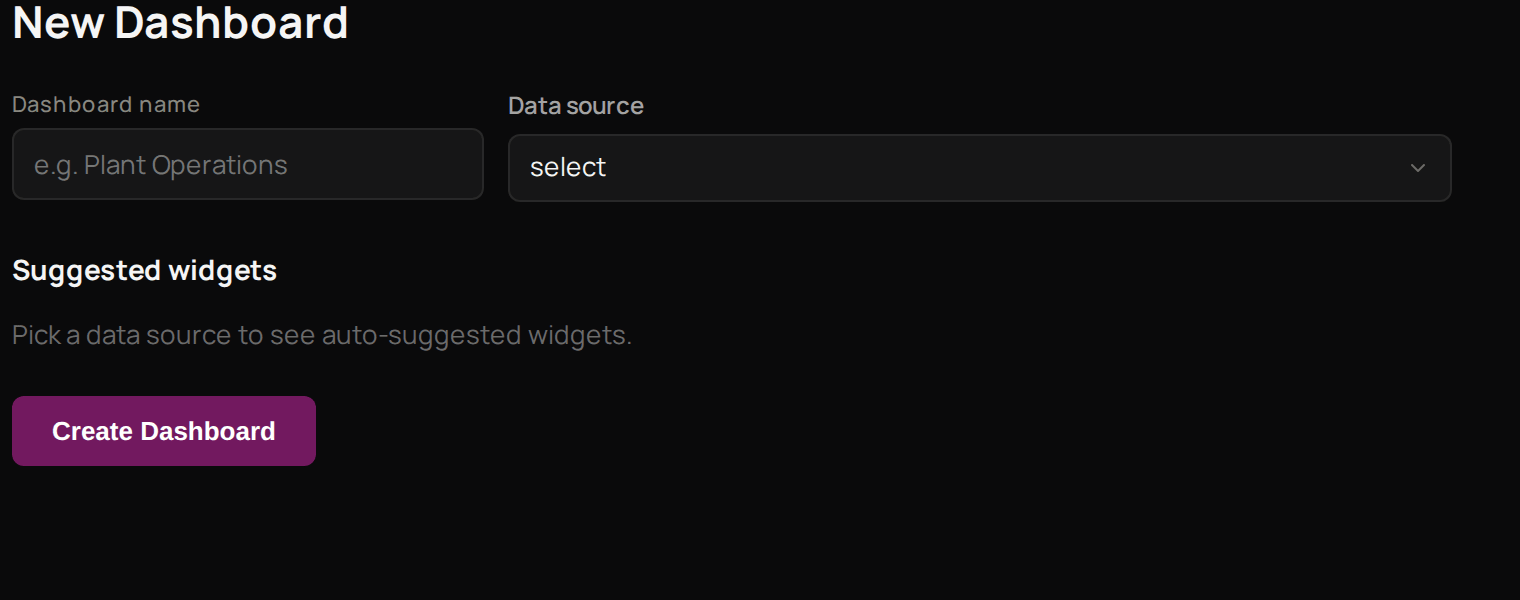 Select **Reports**, then **New Report**.
Enter a **Dashboard name** your team will recognise.
Under **Data source**, choose the source to report on.
Under **Suggested widgets**, untick any you do not want.
Select **Create Dashboard**.
The new report opens with the widgets you picked, and it now shows in your **Reports** list. Next, [set up a monitor](/products/prism/monitors) to be told when a number changes.
## Troubleshooting
The source's columns have not been confirmed. Open the source from **Data Sources** and confirm them, then start the report again.
Select **Reports**, then **New Report**.
Enter a **Dashboard name** your team will recognise.
Under **Data source**, choose the source to report on.
Under **Suggested widgets**, untick any you do not want.
Select **Create Dashboard**.
The new report opens with the widgets you picked, and it now shows in your **Reports** list. Next, [set up a monitor](/products/prism/monitors) to be told when a number changes.
## Troubleshooting
The source's columns have not been confirmed. Open the source from **Data Sources** and confirm them, then start the report again.