

 Pulse
Pulse Lexis
Lexis Vera
Vera Aegis
Aegis Prism
Prism Nucleus
Ask Intellikon
1
Open the form
Select your initials, then Get help.
2
Give it a title
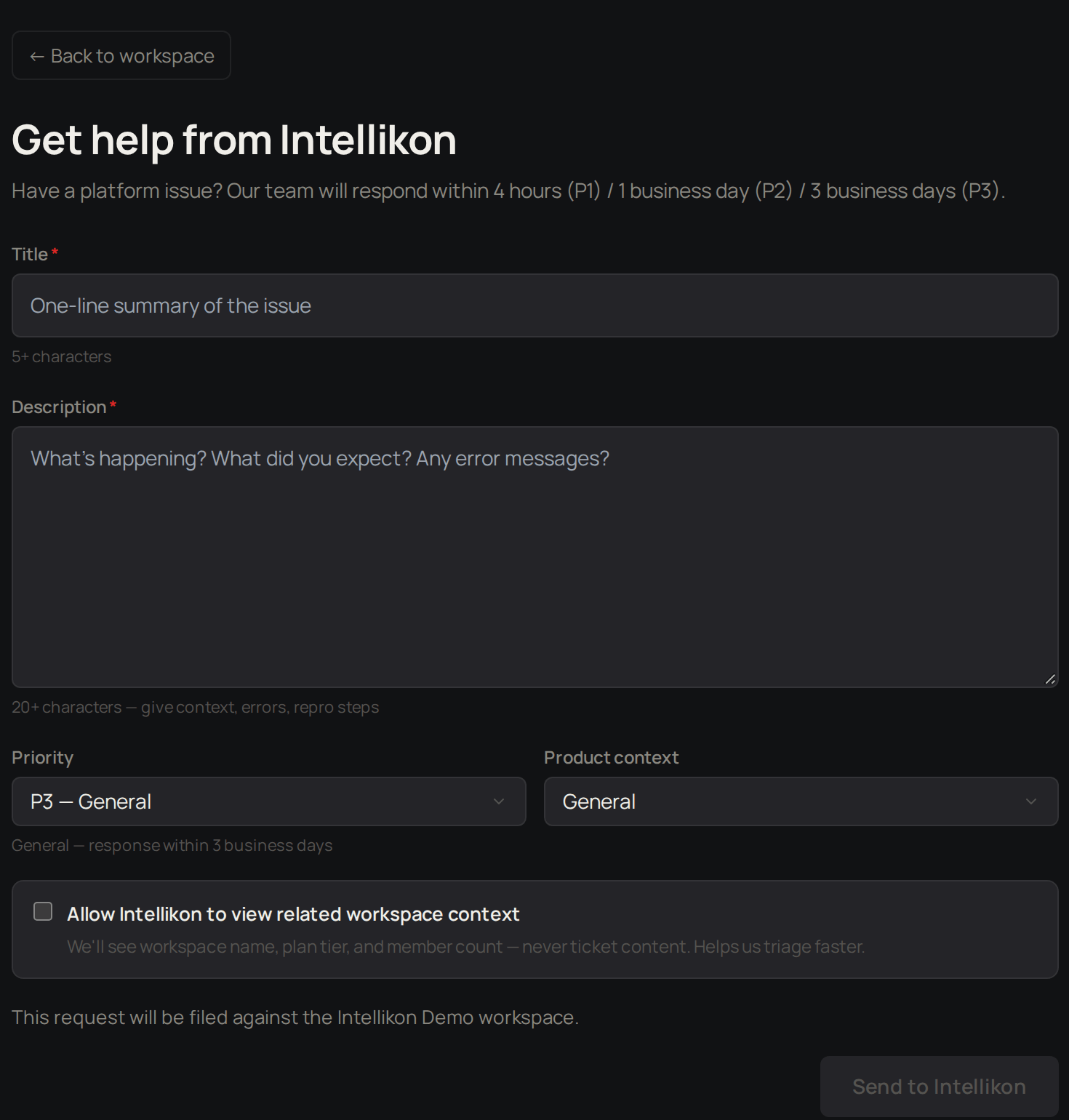
Give it a Title.
3
Describe the problem
Give it a Description. Say what happened, what you expected, and any error message you saw.
4
Set the priority
Choose a Priority. The form shows how quickly each priority is answered.
5
Choose the product
Choose the Product context.
6
Share context if you want
Tick Allow Intellikon to view related workspace context to let us see your workspace name, plan and member count. We never see your ticket content this way.
7
Send
Select Send to Intellikon.