

 Pulse
Pulse Lexis
Lexis Vera
Vera Aegis
Aegis Prism
Prism Nucleus
Before you start
Tenant Owners and Workspace Admins can open API Keys and create keys.Create a key
1
Start a key
Select API Keys, then New key.
2
Name it
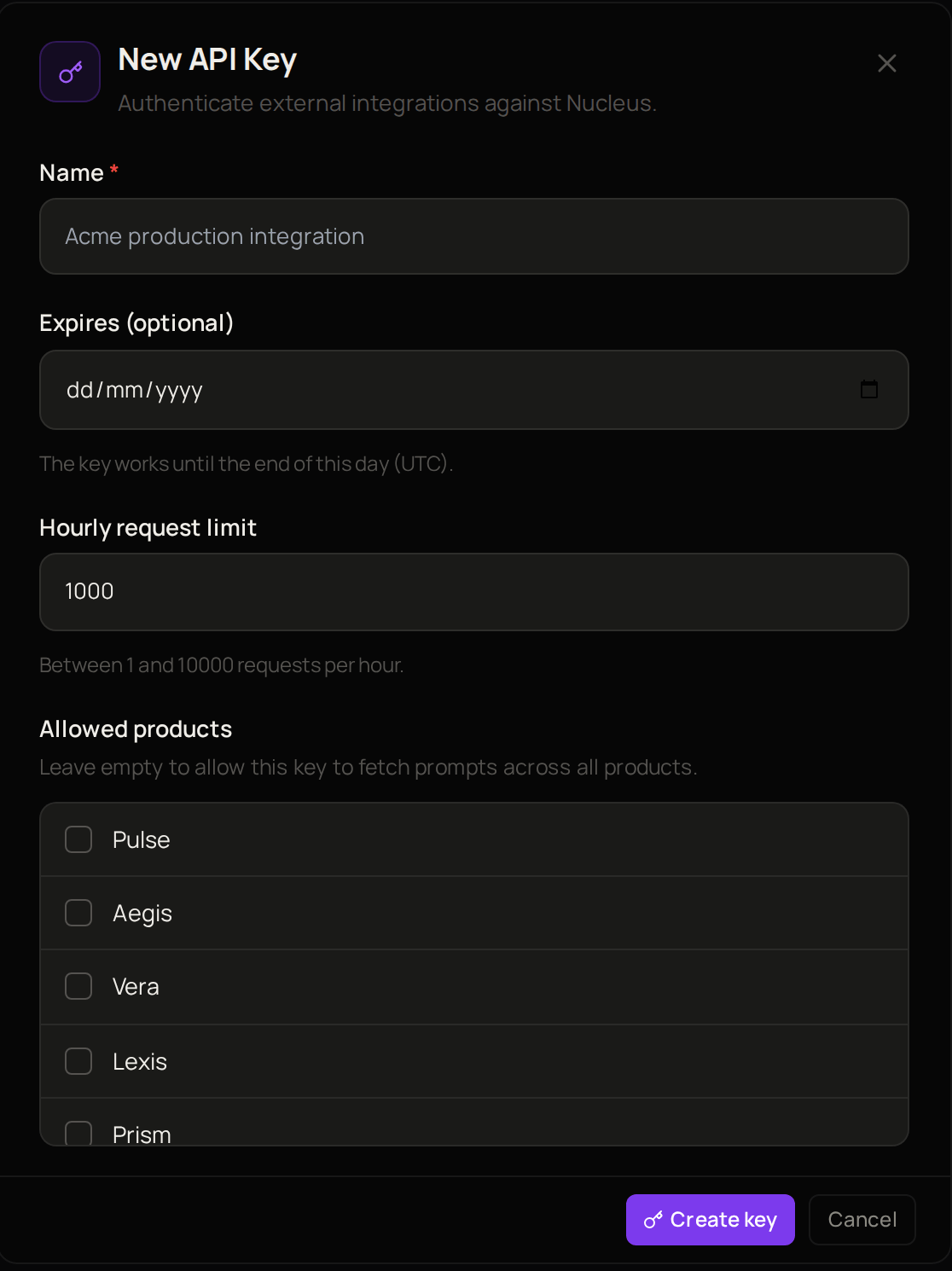
Enter a Name that says what the key is for, such as the system that will use it.
3
Set an end date if you want one
Under Expires (optional), choose the last day the key should work. Leave it empty for a key that does not expire.
4
Set a limit
Change the Hourly request limit if the key needs more or fewer requests an hour than the one filled in.
5
Choose the products
Under Allowed products, tick the products whose prompts the key can reach. Leave them all unticked to allow every product.
6
Create it
Select Create key.
Troubleshooting
The Hourly request limit is not accepted
The Hourly request limit is not accepted
Enter a number between 1 and 10000.