
Pulse settings control the defaults for quotes and the stages your contacts and deals move through. Open them from Settings at the bottom of the Pulse sidebar. Tenant Owners, Workspace Admins and Workspace Members can see them; only Tenant Owners and Workspace Admins can change them.

General

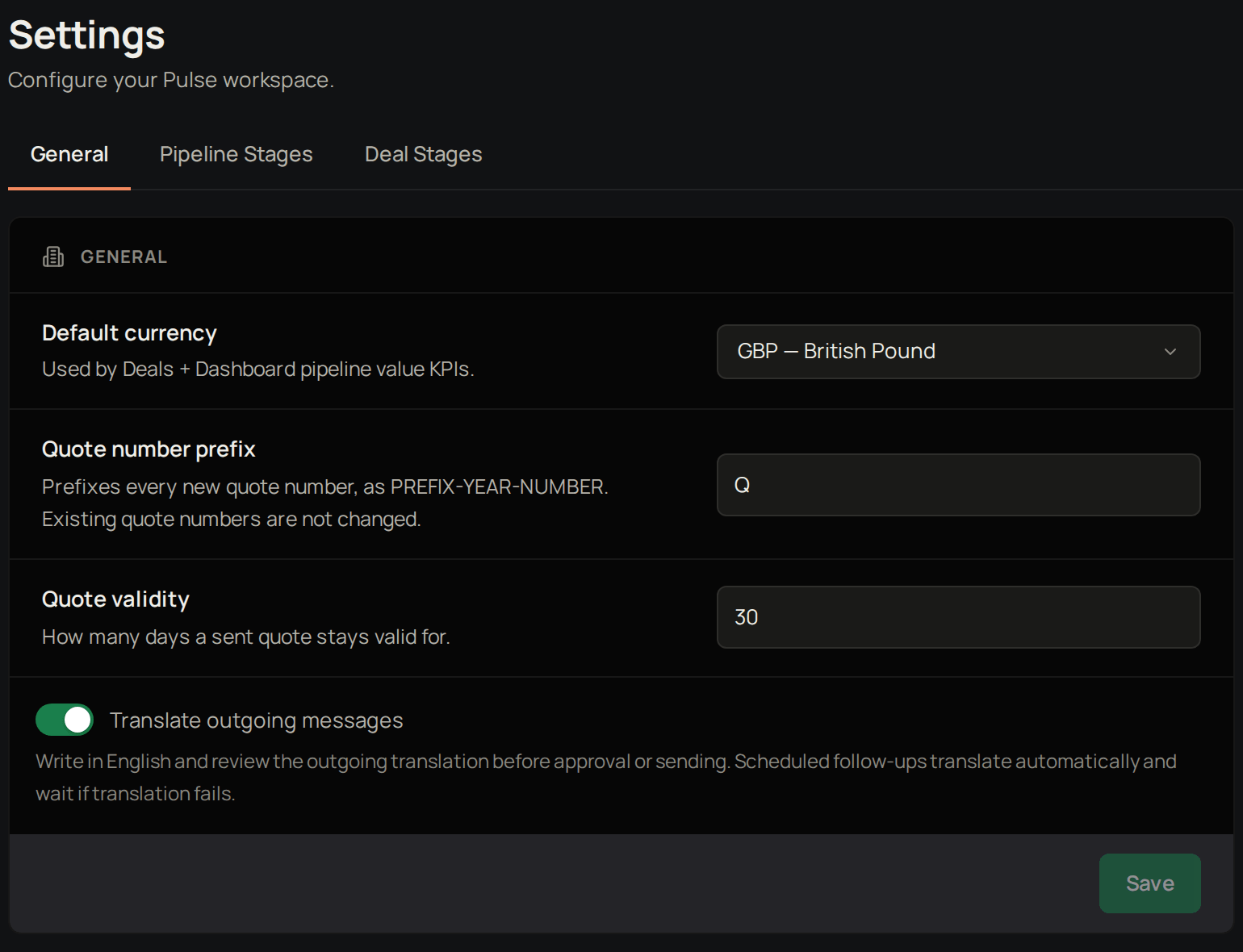
Pulse Settings on the General tab, with Translate outgoing messages turned on.
Default currency is used for deals and pipeline value. Quote number prefix is added to every new quote number; existing quotes keep their numbers. Quote validity sets how many days a quote stays valid, and fills in Valid until on new quotes. Translate outgoing messages turns on translation for the emails you send from Pulse. You write in English and check the translation before you approve or send, and scheduled follow-ups are translated automatically and wait if translation fails. With it on, you can set an Email language for a contact.
1

Change a setting

Change Default currency, Quote number prefix, Quote validity or Translate outgoing messages.
2

Save

Select Save.
Pulse shows Settings saved. Next, set up your pipeline stages.

Pipeline stages

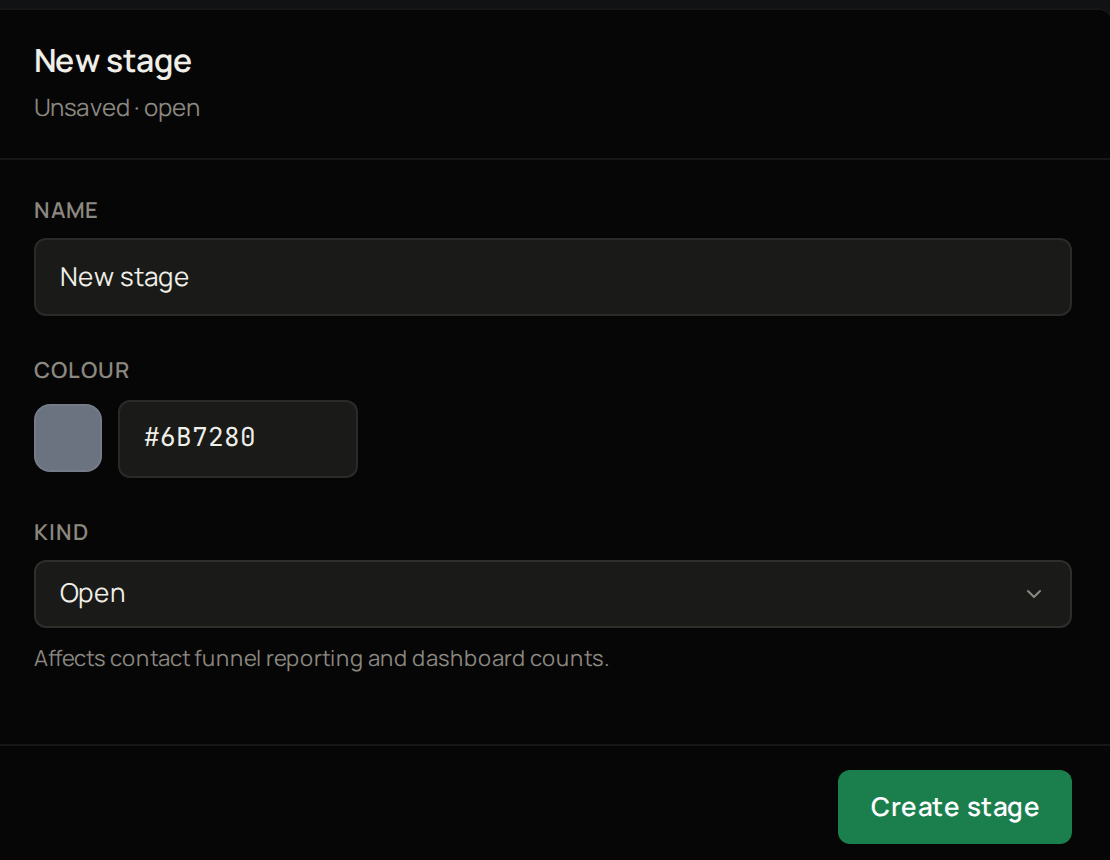
The new stage form in Pulse Settings, with Name, Colour, Kind and Create stage.
These are the stages contacts move through. Stages marked System keep their kind and cannot be archived, but you can change their name and colour. To add your own:
1

Add a stage

Select Add stage.
2

Name it

Give it a name.
3

Colour it

Give it a colour.
4

Set its kind

Choose whether it is Open, Won or Lost.
5

Save

Select Create stage.
Pulse shows Stage created and the new stage appears in the list. Next, set up your deal stages.

Deal stages

These work the same way. Probability % is how likely a deal at this stage is to close, and feeds your weighted forecast. Next, create a deal.

Troubleshooting

If Quote number prefix shows “Use 1 to 10 uppercase letters or digits”, remove any spaces, symbols or lower-case letters. If Quote validity shows “Enter a whole number of days between 1 and 365”, enter a number of days in that range.